









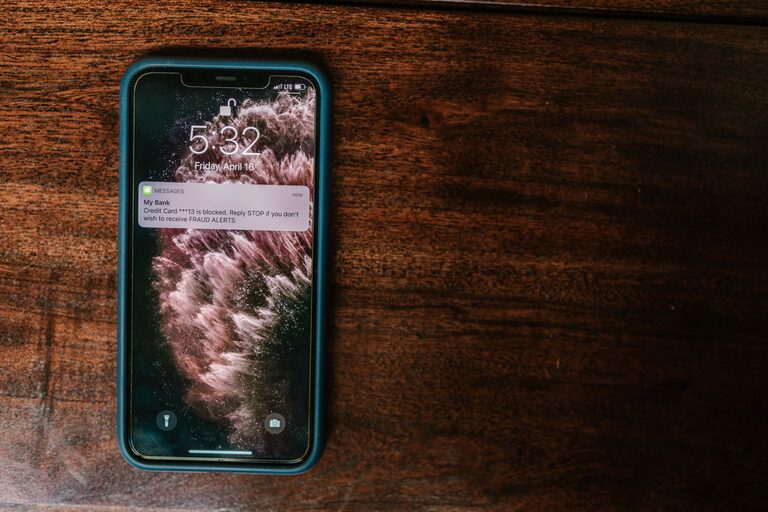
In today’s digital age, notifications from our phones, computers, and apps often demand our attention every few minutes. While they can help us stay informed, they also have the potential to interrupt our concentration and increase stress. Setting clear boundaries with notifications is essential for improving focus, managing time better, and maintaining a healthy digital balance.
This post offers practical guidance on how to control your notification settings and develop habits that put you in charge of when and how you receive alerts.
Why Setting Notification Boundaries Matters
Notifications are designed to capture your attention—and they are quite effective at it. However, constant interruptions can:
– Break your concentration and reduce productivity
– Increase stress and feel overwhelming
– Interfere with quality time away from screens
By setting boundaries, you regain control over your time and attention, enabling you to focus on what matters most.
Assess Your Current Notification Situation
Before making changes, it helps to understand your current notification habits.
– Audit Your Apps: Review which apps send you the most notifications. Are all of them necessary?
– Notice Patterns: Pay attention to when and where notifications disrupt your day the most.
– Evaluate Importance: Ask yourself if each alert is helpful or just noise.
This insight will guide you in prioritizing which notifications to keep or silence.
Practical Tips for Managing Notifications
1. Customize Notification Settings Per App
Most devices allow detailed control over notifications at the app level. Consider:
– Turning off non-essential notifications completely
– Setting some apps to deliver notifications quietly (no sound or banners)
– Enabling “priority only” notifications for important contacts or apps
This way, you reduce interruptions but still receive crucial updates.
2. Use Do Not Disturb Modes
Modern smartphones and computers have “Do Not Disturb” (DND) or focus modes that pause notifications temporarily.
– Schedule DND for work hours or meetings
– Enable DND during bedtime to ensure restful sleep
– Customize exceptions for urgent contacts or apps
Using DND strategically can protect focused time blocks and improve work-life balance.
3. Set Specific Times to Check Notifications
Instead of responding immediately, allocate certain times to review alerts.
– Check notifications every hour or at natural breaks
– Avoid checking the phone first thing in the morning or right before bed
– Use apps that batch notifications and deliver them only during chosen times
This practice helps prevent constant task switching and promotes sustained attention.
4. Turn Off Notification Previews
Previews can be distracting by showing message content on your lock screen or banners.
– Disable previews or limit them to when the device is unlocked
– This reduces the temptation to look at your phone whenever a notification arrives
It’s a simple way to decrease disruption and maintain privacy.
5. Unsubscribe and Clean Up
Over time, we accumulate subscriptions to newsletters, social media updates, and promotional alerts that can clutter notifications.
– Regularly unsubscribe from emails and alerts you no longer need
– Review app permissions and disable notifications for promotional content
A decluttered notification center makes important messages stand out.
6. Use Focus or Productivity Apps
There are apps designed to help manage distractions by blocking or limiting notifications.
– Try apps that pause notifications during focus sessions
– Use timers (like Pomodoro technique apps) that integrate notification suppression
These tools support consistent productivity habits.
7. Communicate Your Boundaries
If you work in a team or share a device, let others know about your notification preferences and availability.
– Inform colleagues when you will not respond to messages immediately
– Establish guidelines for urgent communications
Clear communication ensures mutual respect for focused work time.
Benefits of Setting Notification Boundaries
By taking control over notifications, you can:
– Improve concentration and work efficiency
– Experience lower stress levels
– Have more quality downtime and better sleep
– Feel more balanced with technology use
These improvements contribute to better overall well-being in a world full of constant digital noise.
Final Thoughts
Notifications can be useful tools, but without boundaries, they become distractions. Start small by adjusting settings on one or two apps, and gradually build a notification system that suits your lifestyle and work habits. Remember, the goal isn’t to eliminate all notifications but to manage them so they serve you, not overwhelm you.
Taking these steps will empower you to focus better, reduce digital fatigue, and reclaim control over your day.